
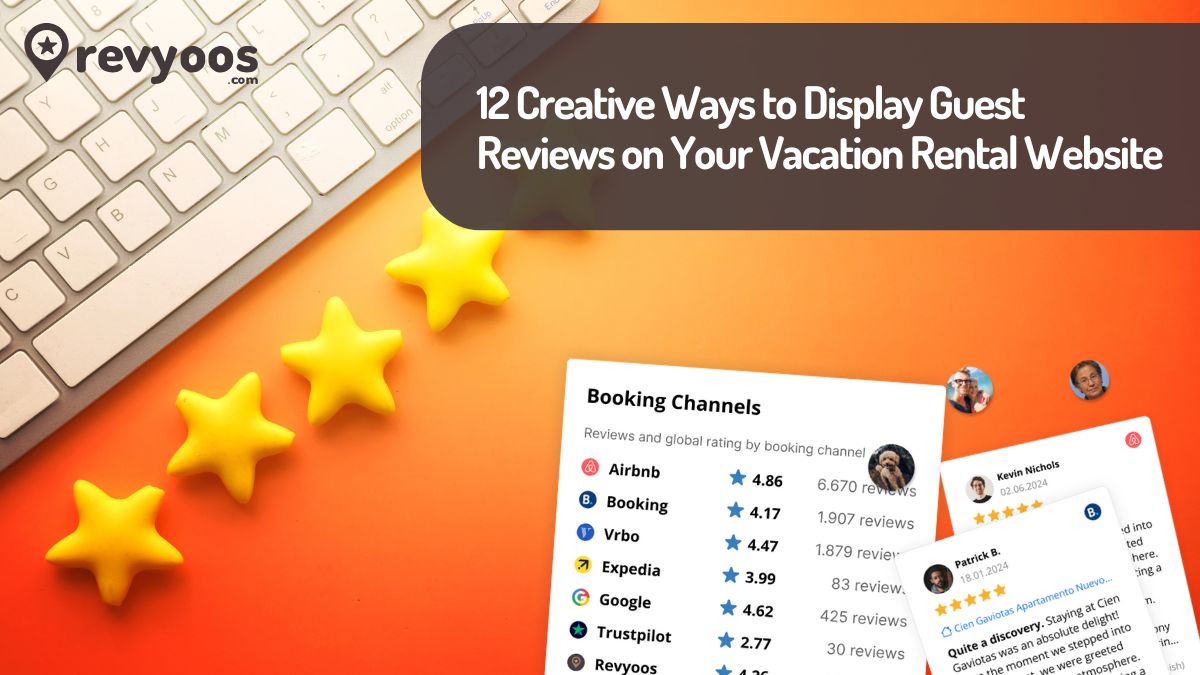
In today’s competitive vacation rental market, review display ideas can make or break your booking success. Property managers and hosts who master the art of guest testimonial showcase strategies see conversion rates increase by up to 90% according to research by Transparent Intelligence. This comprehensive guide will show you innovative review layout optimization techniques that transform your vacation rental website design into a trust-building, booking-generating powerhouse.
- Why Strategic Review Display Matters for Vacation Rentals
- 1. Interactive Review Carousel with Star Ratings
- 2. Floating Review Widgets for Maximum Visibility
- 3. Review-Integrated Photo Galleries
- 4. Dedicated Review Landing Pages with Rich Snippets
- 5. Social Media-Style Review Feeds
- 6. Video Review Integration
- 7. Interactive Review Maps and Location Context
- 8. Review-Based FAQ Sections
- 9. Gamified Review Displays
- 10. Mobile-Optimized Review Layouts
- 11. AI-Powered Review Summaries and Insights
- 12. Community-Style Review Discussions
- Technical Implementation Best Practices
- Measuring Success and Optimization
- Future Trends in Review Display Technology
- Frequently Asked Questions
- Conclusion
Why Strategic Review Display Matters for Vacation Rentals
Guest reviews serve as digital word-of-mouth marketing that directly influences booking decisions. When potential guests visit your vacation rental website, they’re actively seeking social proof to validate their choice. Strategic review placement and creative display methods can significantly impact your conversion rates and search engine visibility.
Key benefits of optimized review display:
- Builds instant trust and credibility with potential guests
- Improves search engine rankings through user-generated content
- Increases direct bookings while reducing OTA dependency
- Provides valuable insights into guest preferences and experiences
- Enhances overall user experience on your website
1. Interactive Review Carousel with Star Ratings
Transform static testimonials into dynamic, engaging displays using interactive carousels. This review display idea allows visitors to browse through multiple reviews while maintaining visual appeal and page loading speed.
Implementation tips:
- Feature star ratings prominently above each review excerpt
- Include guest photos or avatars when available
- Add smooth transition animations between reviews
- Display review source (Airbnb, Booking.com, VRBO) with platform logos
- Include review dates to show recent feedback
Consider integrating platforms like Revyoos that automatically aggregate reviews from multiple sources, making carousel implementation seamless and comprehensive. Start a free trial to see how automated review collection can transform your property’s carousel displays.
Join 1,000+ property managers and hotels using Revyoos to increase direct bookings and automate review management.
2. Floating Review Widgets for Maximum Visibility
Floating review widgets remain visible as users scroll through your property pages, ensuring constant exposure to positive feedback. This vacation rental website design element maintains trust-building throughout the entire browsing experience.
Best practices:
- Position widgets in the bottom corner without obstructing content
- Include average rating and total review count
- Add a subtle animation or pulsing effect to draw attention
- Ensure mobile responsiveness and easy dismissal options
- Link directly to full review pages for deeper exploration
3. Review-Integrated Photo Galleries
Combine stunning property photos with relevant guest comments to create compelling visual storytelling. This innovative guest testimonial showcase method connects reviews directly to specific amenities and features.
Strategic implementation:
- Overlay short review quotes on property photos
- Match review content to corresponding images (kitchen praise with kitchen photos)
- Create hover effects that reveal additional review details
- Include reviewer names and dates for authenticity
- Optimize images with review-related alt text for SEO benefits
4. Dedicated Review Landing Pages with Rich Snippets
Create comprehensive review pages that showcase all guest feedback while boosting your SEO performance. These pages should implement structured data markup to display star ratings in search results.
Essential elements:
- Implement schema.org review markup for rich snippets
- Organize reviews by rating, date, or review platform
- Include filtering options for guests to find relevant feedback
- Add response capabilities for property manager interactions
- Create unique URLs for each property’s review collection
According to CXL research, properties displaying star ratings in search results experience a 35% increase in click-through rates, making this review layout optimization technique particularly valuable. To streamline the technical implementation of rich snippets and structured data, explore how Revyoos handles SEO optimization automatically for all your review displays.
5. Social Media-Style Review Feeds
Design review displays that mimic familiar social media interfaces, making them instantly recognizable and engaging for modern users. This approach leverages user familiarity with social platforms.
Design considerations:
- Use profile picture-style avatars for reviewers
- Include like/helpful buttons for review engagement
- Display platform-specific formatting (Airbnb styling for Airbnb reviews)
- Add timestamp formatting similar to social media posts
- Include share buttons for review amplification
6. Video Review Integration
Incorporate video testimonials alongside written reviews to create multi-dimensional trust-building experiences. Video content significantly increases engagement and conversion rates.
Implementation strategies:
- Embed short video testimonials from repeat guests
- Create video montages featuring review highlights
- Include property walkthrough videos with review overlays
- Add guest-submitted video content when available
- Optimize video loading for various connection speeds
7. Interactive Review Maps and Location Context
Connect guest reviews to specific locations and nearby attractions to provide contextual value beyond accommodation quality. This review display idea particularly benefits urban and destination properties.
Features to include:
- Map integration showing reviewed nearby attractions
- Location-specific review filtering options
- Guest photos from local experiences
- Reviews mentioning accessibility and transportation
- Neighborhood safety and convenience feedback
8. Review-Based FAQ Sections
Transform common review themes into frequently asked questions that proactively address guest concerns. This approach demonstrates transparency while providing valuable information.
Content organization:
- Group reviews by common topics (cleanliness, location, amenities)
- Create FAQ responses using actual guest language
- Include both positive highlights and addressed concerns
- Add property manager responses to critical feedback
- Update content based on seasonal review trends
9. Gamified Review Displays
Incorporate gaming elements to make review browsing more engaging and memorable. This innovative approach can increase time on site and booking likelihood.
Gamification elements:
- Progress bars showing review score distributions
- Achievement badges for highly-rated features
- Interactive elements like expandable review cards
- Review “unlocking” based on user scrolling behavior
- Comparative displays against similar properties
10. Mobile-Optimized Review Layouts
With mobile traffic dominating vacation rental searches, ensure your review layout optimization prioritizes mobile user experience without sacrificing functionality.
Mobile-specific considerations:
- Implement swipeable review cards for touch interfaces
- Use collapsible review sections to save screen space
- Optimize font sizes and button spacing for finger navigation
- Ensure fast loading times on mobile networks
- Include voice-to-text functionality for review searches
11. AI-Powered Review Summaries and Insights
Leverage artificial intelligence to provide intelligent review analysis and summaries that help guests quickly understand property strengths and potential concerns.
AI implementation options:
- Automated review sentiment analysis and categorization
- Generated summaries highlighting key themes
- Trend identification across review periods
- Predictive insights based on review patterns
- Personalized review recommendations based on user preferences
Tools like Revyoos now offer AI-powered sentiment analysis that automatically categorizes reviews and generates insights, making this advanced guest testimonial showcase technique accessible to properties of all sizes. Book a demo to see how AI-driven review analysis can enhance your property’s competitive advantage.
12. Community-Style Review Discussions
Create interactive review sections where potential guests can ask questions about specific reviews or property features, fostering community engagement.
Community features:
- Comment sections for review clarifications
- Property manager response capabilities
- Guest-to-guest question and answer systems
- Review helpfulness voting mechanisms
- Community moderation tools for quality control
Technical Implementation Best Practices
SEO Optimization for Review Displays
Proper technical implementation ensures your creative review displays contribute to search engine visibility and ranking improvements.
Technical requirements:
- Implement structured data markup for all review content
- Use semantic HTML elements for accessibility
- Optimize review page loading speeds
- Create XML sitemaps including review pages
- Ensure proper canonicalization for duplicate review content
Performance Considerations
Balance visual appeal with website performance to maintain positive user experience across all devices and connection speeds.
Performance optimization:
- Implement lazy loading for review content below the fold
- Compress and optimize review images
- Use content delivery networks (CDNs) for faster loading
- Cache review data to reduce server load
- Monitor Core Web Vitals impact of review widgets
Integration with Review Management Platforms
Consider platforms that streamline review aggregation and display implementation while maintaining customization flexibility.
Platform benefits:
- Automated review collection from multiple sources
- Consistent formatting across different review platforms
- Built-in SEO optimization features
- Customizable widget options
- Real-time review updates without manual intervention
For property managers looking to implement these advanced features without technical complexity, compare Revyoos pricing plans to find the right solution for your portfolio size and needs.
Measuring Success and Optimization
Key Performance Indicators
Track specific metrics to measure the effectiveness of your review display strategies and identify optimization opportunities.
Essential metrics:
- Conversion rate improvements after review display changes
- Time spent on pages with review content
- Click-through rates from review pages to booking forms
- Search engine ranking improvements for review-related keywords
- Direct booking increases correlated with review display changes
A/B Testing Review Layouts
Continuously test different review display ideas to identify the most effective approaches for your specific audience and property type.
Testing strategies:
- Compare carousel vs. grid review layouts
- Test review placement positions on property pages
- Experiment with review excerpt lengths
- Analyze performance of different review filtering options
- Measure impact of review response integration
Future Trends in Review Display Technology
Stay ahead of evolving vacation rental website design trends by preparing for emerging technologies and guest expectations.
Emerging trends:
- Voice-activated review browsing capabilities
- Augmented reality integration with review content
- Blockchain verification for review authenticity
- Advanced AI personalization for review recommendations
- Integration with virtual property tour experiences
Frequently Asked Questions
1. How do review displays impact vacation rental SEO?
Review displays significantly improve SEO through user-generated content, increased time on site, and rich snippet implementation. Properties with review-rich websites typically see improved search rankings and higher click-through rates from search results.
2. What’s the best way to handle negative reviews in creative displays?
Include negative reviews alongside positive ones to demonstrate authenticity and transparency. Focus on showcasing property manager responses that address concerns professionally and highlight improvements made based on feedback.
3. How often should I update my review display layout?
Monitor performance metrics and guest feedback to determine update frequency. Generally, quarterly reviews of display effectiveness and annual design refreshes help maintain optimal performance and user engagement.
4. Can I legally display reviews from different platforms on my website?
Most platforms allow displaying reviews on your own website with proper attribution and source linking. However, review platform terms of service regularly, as policies may change. Tools like Revyoos ensure compliance while aggregating reviews from multiple sources.
5. What review display elements have the highest conversion impact?
Star ratings, recent review dates, and guest photos typically have the highest conversion impact. Additionally, displaying total review counts and average ratings prominently builds immediate trust with potential guests.
Conclusion
Implementing creative review display ideas transforms your vacation rental website from a simple property listing into a trust-building, conversion-optimizing platform. The twelve strategies outlined above provide a comprehensive toolkit for review layout optimization that addresses diverse guest preferences and browsing behaviors.
Success in guest testimonial showcase requires balancing creativity with functionality, ensuring that innovative displays enhance rather than complicate the booking process. By focusing on user experience, technical implementation, and continuous optimization, property managers can create review displays that significantly impact their bottom line.
Ready to transform your vacation rental website with professional review management? Discover how Revyoos can streamline your review aggregation and display implementation with automated collection from Airbnb, Booking.com, VRBO, and other major platforms.
Start your 14-day free trial today and see how professional review management can increase your direct bookings and improve your search engine visibility.
Begin your 14-day free trial and implement professional review displays across your vacation rental websites today