
Airbnb Review Widget
The Key to Boosting Direct Bookings
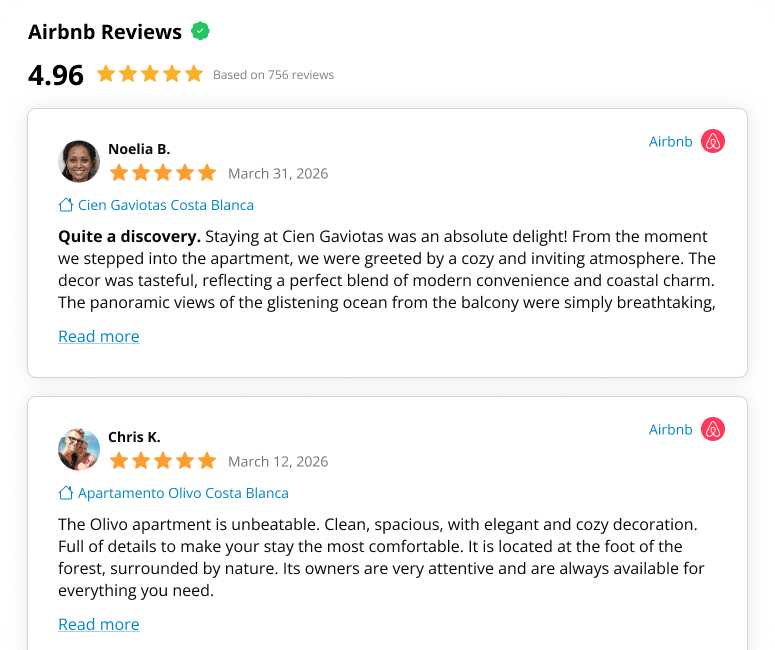
14-day FREE TRIAL.
No credit card required · Setup in minutes
Why Displaying Airbnb Reviews is Essential for Your Business
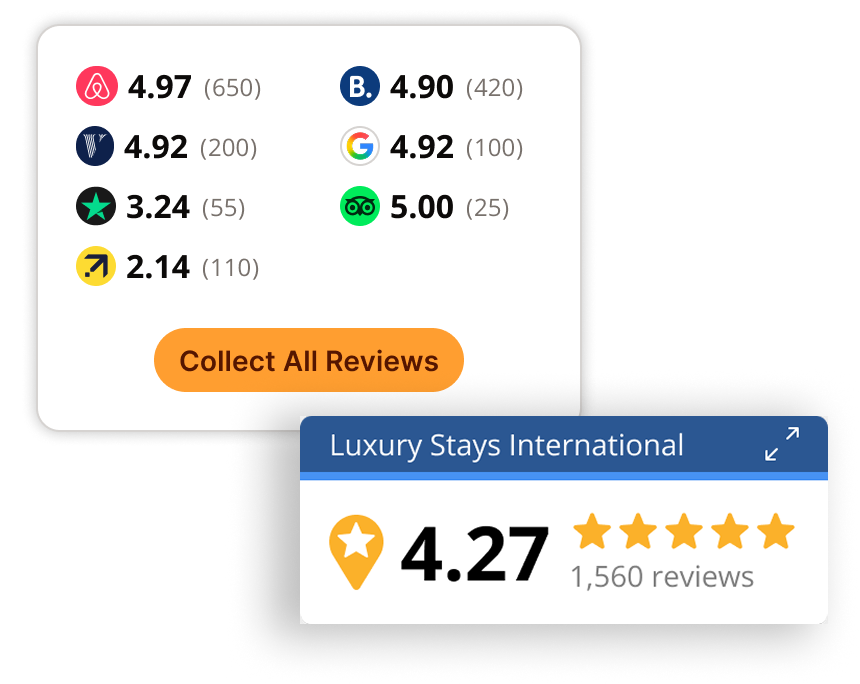
As a property manager, you know the importance of having a strong online presence to attract potential guests. One of the most effective ways to increase trust and confidence in your property is by displaying verified reviews from guests who have stayed with you. With the rise of Airbnb and other online travel agencies (OTAs), it can be challenging to keep track of all the reviews left for your property. This is where Revyoos comes in – our Airbnb review widget aggregates all your reviews from Airbnb and other OTAs and displays them on your own website.

Displaying Verified Reviews Builds Trust and Credibility
Displaying verified reviews on your website helps to build trust and credibility with potential guests. It provides a platform for previous guests to share their experiences and provides valuable insights into what they liked and didn’t like about their stay. This information can be valuable for future guests who are considering booking with you and can help them make an informed decision.
Displaying Airbnb Reviews Increases Direct Bookings
In addition to building trust and credibility, displaying Airbnb reviews can also increase direct bookings. When potential guests see positive reviews from previous guests, they are more likely to book directly with you instead of going through an OTA. This can save you money on commission fees and increase your revenue.
Why Use the Revyoos Airbnb Review Widget?
The Revyoos Airbnb review widget makes it easy for you to display all your Airbnb reviews on your website. Our widget pulls all the reviews from Airbnb and other OTAs and displays them in one convenient location. This eliminates the need for you to manually collect and publish reviews on your website, saving you time and effort.


Get Started with the Revyoos Airbnb Review Widget
Specifically designed by Property Managers to help Managers & Hosts regain control over their property reviews
Getting started with the Revyoos Airbnb review widget is easy. Simply sign up for an account and follow the instructions to add the widget to your website. Our support team is always available to assist you with any questions or issues you may encounter.
Customizable and SEO-Friendly
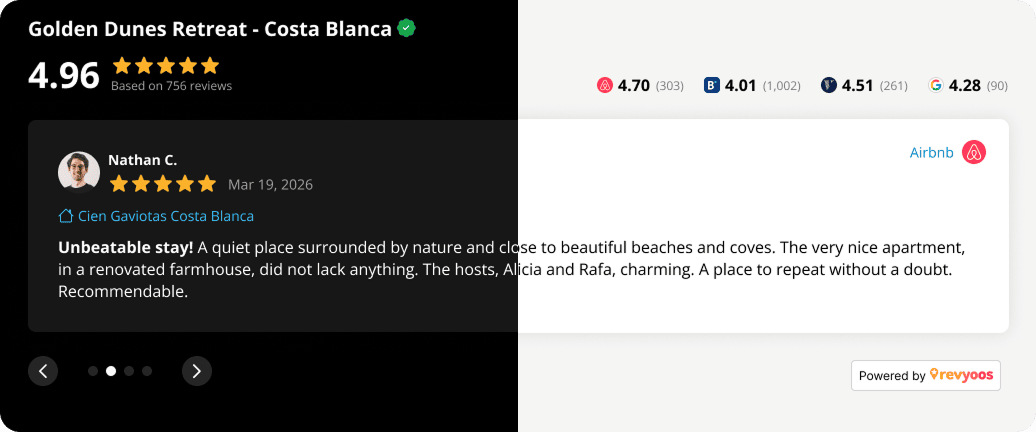
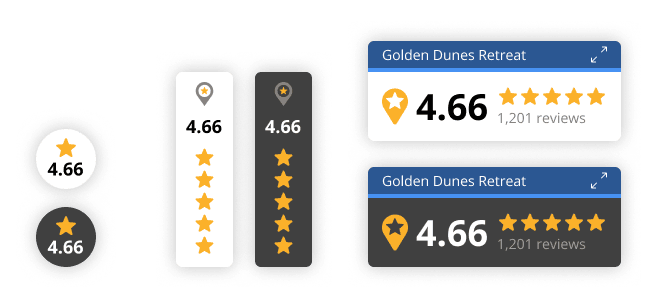
Our widget is also designed to be user-friendly and easily customizable. You can choose the color and font of the widget to match the design of your website. You can also decide how many reviews to display and the order in which they appear. In addition to being user-friendly and customizable, the Revyoos Airbnb review widget is also SEO-friendly. By displaying all your Airbnb reviews on your website, you increase the amount of relevant content on your site. This can help improve your search engine rankings and make it easier for potential guests to find your property online.
No credit card required · Trusted by property managers and hotels
Ready to regain control over your reviews?
In conclusion, the Revyoos Airbnb review widget is an essential tool for any property manager looking to increase trust and credibility with potential guests. By aggregating all your Airbnb reviews and displaying them on your website, you can build a strong online presence and increase direct bookings. Start using the Revyoos Airbnb review widget today and take your property to the next level!
No credit card required · Trusted by property managers and hotels
Frequently Asked Questions
1. How can I acquire the code for the Airbnb Review widget?
Acquiring the code for the Airbnb Review widget is simple! Just follow the steps provided in your Revyoos dashboard. Once you log in to your account, you will have access to the code for the Airbnb Review widget. Simply copy and paste the code into your website’s HTML to start displaying Airbnb reviews on your site. If you have any questions or need assistance, don’t hesitate to reach out to the Revyoos support team.
2. How do I add the Airbnb Review widget to my website?
Adding the Airbnb Review widget to your website is straightforward. All you need to do is follow these steps:
– Acquire the code for the Airbnb Review widget from your Revyoos dashboard.
– Copy the code and paste it into your website’s HTML where you want the widget to appear.
– If you use a website builder or CMS (WordPress, Wixetc. ), you may need to use a widget or HTML module to add the code to your website. Consult your platform’s documentation for specific instructions.
– Once you have added the code, the Airbnb Review widget should appear on your website, pulling in reviews from Airbnb.
3. Is the Airbnb Review widget compatible with my CMS or website builder?
The Airbnb Review widget is designed to be compatible with most popular website builders and CMS platforms. However, it may depend on the limitations of your PMS website, if you use one, as to whether the widget will work as expected. Some PMS websites may have specific requirements or limitations that need to be taken into account when adding the Airbnb Review widget.
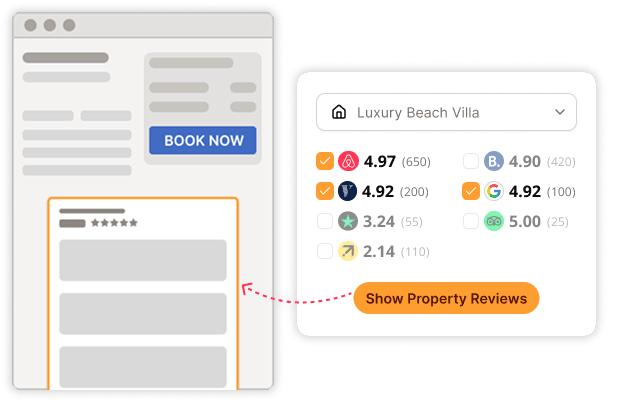
If you use a PMS website, it may only allow you to add one single script. In that case, you will be able to display the Global Review widget with all your reviews from all properties, not the Property Review Widgets, which only display the reviews of each property. It is important to check with your PMS provider to see if there are any specific requirements or limitations that need to be taken into account before adding the Airbnb Review widget to your website.
4. Can website visitors also leave their own reviews using the Airbnb Review widget?
Yes, website visitors can also leave their own reviews. Revyoos will provide a link for each property, allowing you to request reviews directly from your direct bookers. This allows you to gather valuable feedback and insights from your guests, helping you to continually improve your properties and the guest experience you offer.
Incorporating guest reviews can also help to increase transparency and build trust with potential guests visiting your website. It demonstrates that you value the opinions of your guests and are committed to providing an exceptional experience. This can lead to increased bookings and positive word-of-mouth recommendations, helping to grow your business and increase your customer base over time.
5. Is it possible to sort Airbnb reviews for display in the Airbnb Review widget on my website?
No, it is not possible to sort Airbnb reviews for display in the Airbnb Review widget on your website. Revyoos has a commitment to providing genuine guest review aggregation to generate trust and confidence with your website visitors, so all reviews, both positive and negative, must be displayed in the widget.
However, what you can do is:
– display the best reviews first instead of the most recent. In the widget settings, you can choose to sort the reviews based on rating, so that the highest-rated reviews appear first. This allows you to showcase the best experiences that your guests have had, while still maintaining the authenticity of the review aggregation.
– display only the average review score and number of reviews. This way, your website visitors can quickly see the overall satisfaction of guests without having to read through the details of each review.
6. How often are the Airbnb reviews updated in the Airbnb Review widget?
The Airbnb reviews in the Airbnb Review widget are updated every 24 hours. This means that the widget will automatically retrieve and display the latest reviews from Airbnb every 24 hours. This frequency of updates helps ensure that your website visitors always have access to the most recent information about your business, and it provides an up-to-date picture of your business’s performance.
Additionally, you can set up alerts so that you receive a daily alert every time a new review is posted. This way, you won’t miss any new reviews and can respond to them promptly.
7. Can I customize the appearance of the Airbnb Review widget on my website?
Yes, you can customize the appearance of the Airbnb Review widget on your website. The widget allows you to choose from different looks and feels, and you can also customize the colors to match your brand. This allows you to create a widget that fits seamlessly with your website’s design and enhances the user experience for your visitors.
8. How secure is the Airbnb Review widget and my website data?
The Airbnb Review widget and your website data are highly secure. Revyoos takes the security of its customers’ data very seriously and implements strict security measures to protect it.
The Airbnb Review widget uses secure, encrypted connections to ensure that your data is transmitted safely and securely between your website and Revyoos’s servers. In addition, the widget is regularly updated to ensure that it is protected against the latest security threats and vulnerabilities
Your website data is also protected by Revyoos’s robust data security and privacy policies. This includes strict access controls to ensure that only authorized personnel have access to your data, and regular backups to ensure that your data can be quickly and easily restored in the event of an emergency.
9. What is the pricing for using the Airbnb Review widget on my website?
The Basic plan offered by Revyoos is designed for hosts or small property managers who want to display Airbnb reviews on their website. The pricing for this plan will depend on the number of properties you manage and the plan you choose.
To get an accurate estimate of the cost for using the Basic plan, you can check the pricing information on the Revyoos website. Here you will find more information about the features and options included with each plan, as well as the pricing details.
10. Is there any limit to the number of Airbnb reviews displayed in the Airbnb Review widget on my website?
No, there is no limit to the number of Airbnb reviews displayed in the Airbnb Review widget on your website. All of the Airbnb reviews that you have received will be available to display in the widget. This allows you to provide a complete and transparent view of your guest feedback, helping you to build trust and credibility with potential guests visiting your website.
In addition, displaying all of your Airbnb reviews can also help to give your property a more comprehensive view of your guest feedback and identify areas for improvement. This, in turn, can help you to make data-driven decisions and enhance your guest experience, leading to increased bookings and revenue.
11. Is the Airbnb Review widget mobile-friendly?
Yes, the Airbnb Review widget is mobile-friendly and optimized for display on mobile devices. This means that your website visitors can easily view the Airbnb reviews on their smartphones or tablets, without having to zoom in or scroll around.
The mobile-friendly design of the Airbnb Review widget ensures that your guests have a great experience on your website, regardless of what device they are using. This, in turn, can help increase engagement and drive more bookings for your property.
12. Can I add reviews from other platforms, not just Airbnb, to the Airbnb Review widget on my website?
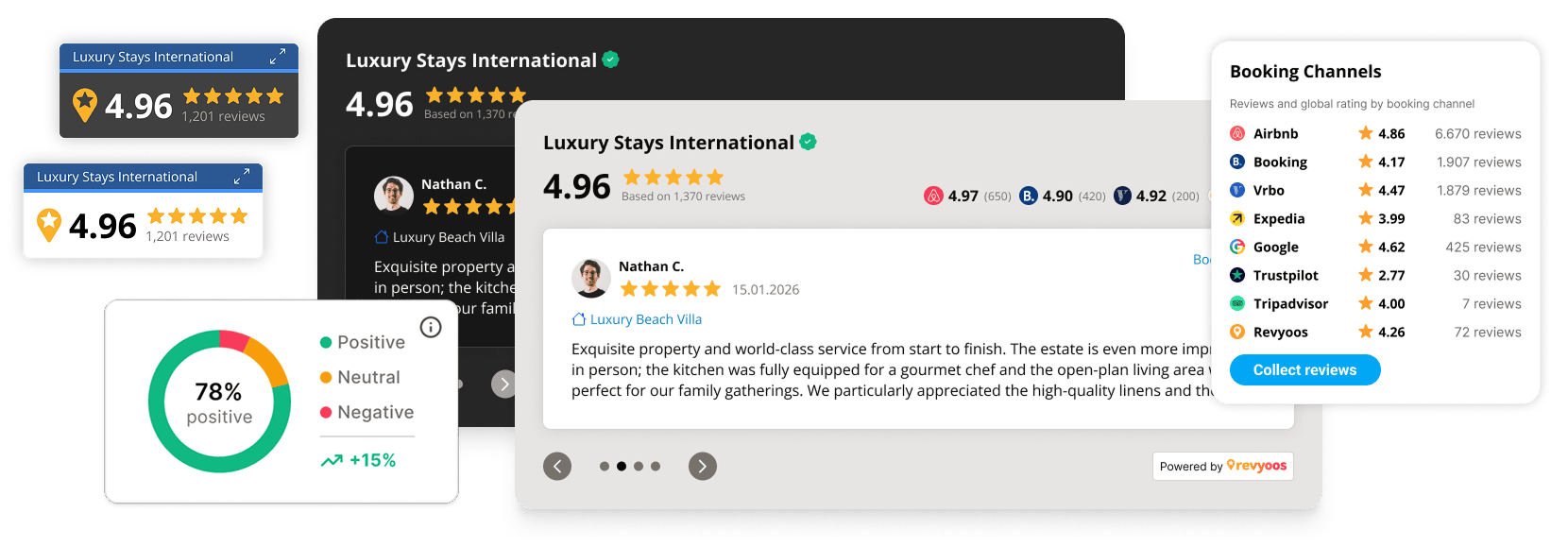
Yes, you can add reviews from other platforms, not just Airbnb, to the Airbnb Review widget on your website. In addition to Airbnb reviews, you can also include reviews from platforms like Booking.com, Vrbo, Expedia, TripAdvisor, Google My Business, TrustPilot & Facebook. This will give you a more comprehensive view of your guest feedback and help build trust and credibility with potential guests visiting your website.
To add reviews from other platforms, simply connect your accounts to the Revyoos dashboard and select the reviews you want to display on your website. The widget will automatically display the most recent and relevant reviews, helping you to showcase your property’s strengths and demonstrate your commitment to providing an exceptional guest experience.