
Booking.com Review Widget
Elevating Property Management and Vacation Rental Success
14-day FREE TRIAL.
No credit card required · Setup in minutes
The Power of Booking.com Reviews in the Vacation Rental Landscape
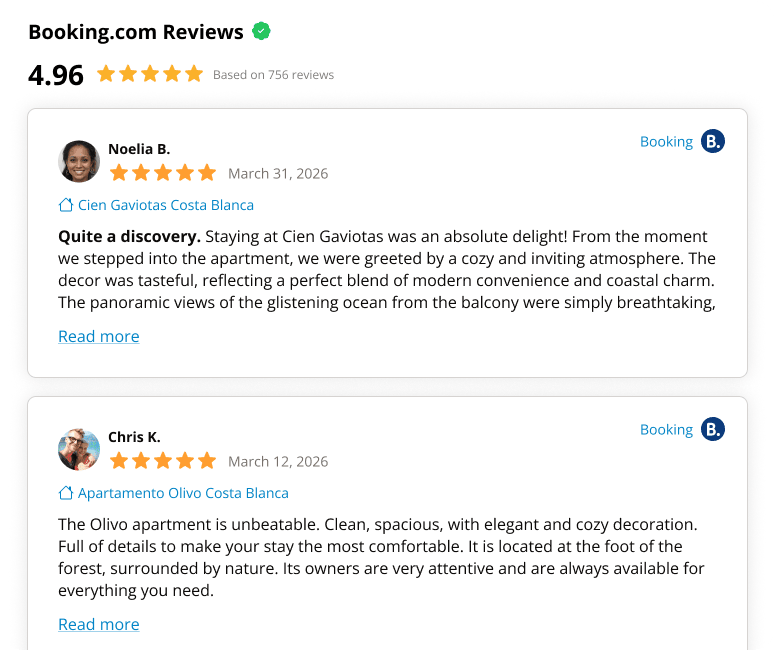
In the ever-evolving world of vacation rentals and property management, distinguishing your property is paramount. With Booking.com leading the charge in online travel bookings, harnessing its review potential can significantly impact your success. The Booking.com review widget is your key to unlocking this treasure trove of guest feedback.

Property Management Meets Authenticity
In property management, maintaining a consistent, quality guest experience is a top priority. Real-life feedback from past guests, showcased on your site, provides invaluable insights. This not only helps prospective customers set expectations but also aids property managers in understanding areas of excellence and those needing improvement.
Boosting Vacation Rental Bookings with Genuine Testimonials
Vacation rental seekers are keen on personal experiences. The Booking.com review widget allows your property to shine by presenting candid, genuine guest experiences. With positive testimonials, potential guests are more likely to finalize their bookings directly, ensuring a better profit margin for property owners.
Integration: A Seamless Blend with Your Property’s Digital Front
Time is of the essence in property management. The widget automates the process of updating reviews, reducing manual labor and ensuring that your vacation rental’s online reputation is always current.


Enhancing SEO and Driving More Traffic
Specifically designed by Property Managers to help Managers & Hosts regain control over their property reviews
Incorporating dynamic content, like updated reviews from Booking.com, can give your website an SEO edge. Search engines prioritize websites with fresh and relevant content, meaning a potential boost in organic traffic to your vacation rental site.
Implementing the Booking.com Review Widget
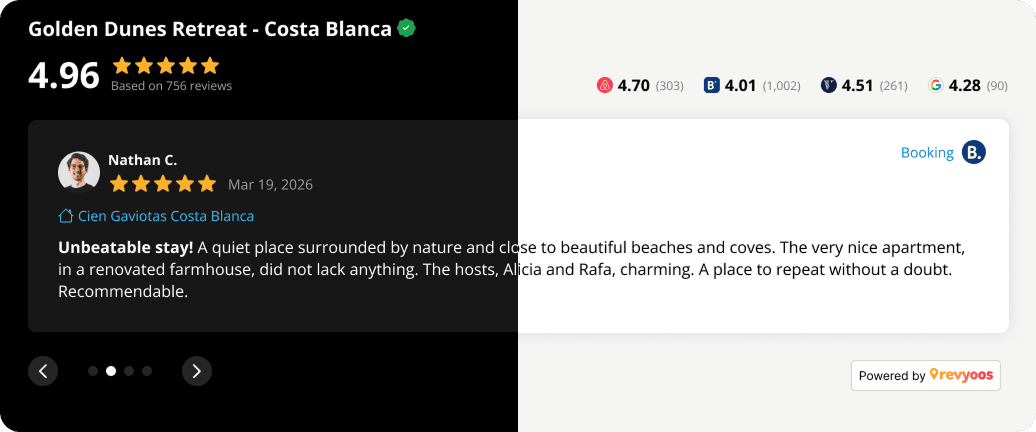
A few simple steps and the widget integrates seamlessly into your property’s website. With a dedicated customer support team at your beck and call, setting up is a breeze.
No credit card required · Trusted by property managers and hotels
Empowering Decision Making with Actionable Insights
In the realm of property management and vacation rentals, reputation is gold. The Booking.com review widget allows you to leverage guest feedback effectively, enhancing trust, driving direct bookings, and ensuring your property remains a top choice for travelers.
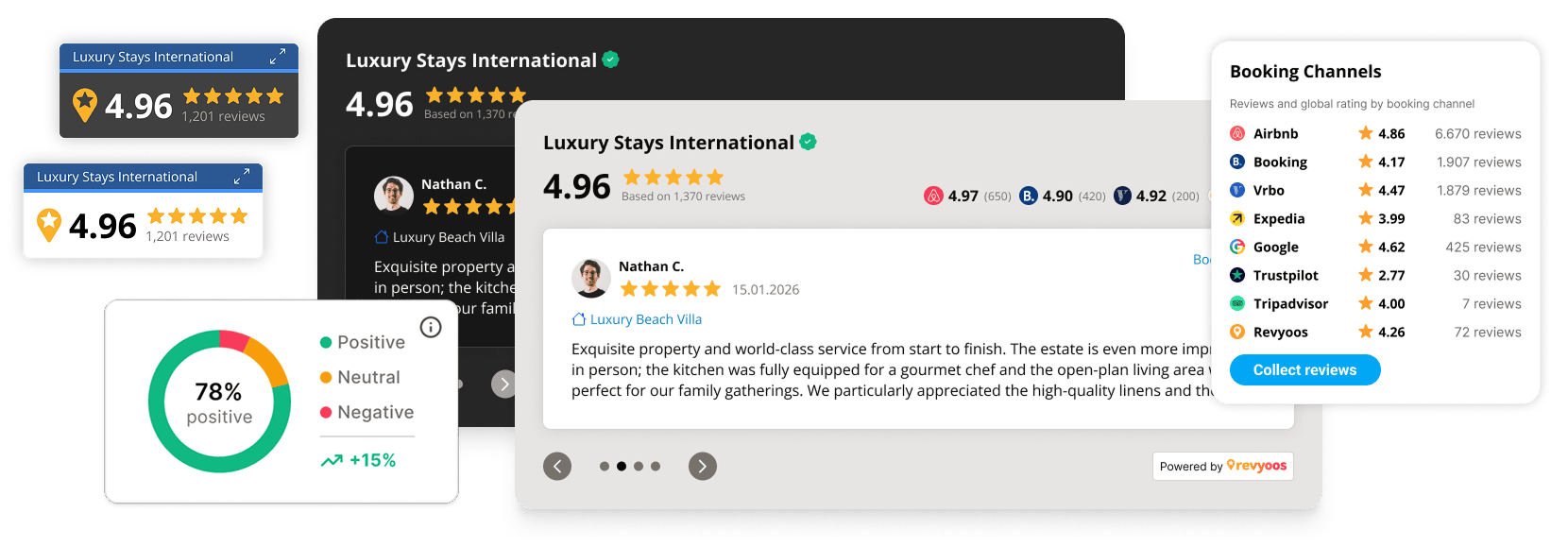
No credit card required · Trusted by property managers and hotels
Frequently Asked Questions
How can I obtain the unique code for the Booking.com Review widget?
Securing the code for the Booking.com Review widget has never been easier. Just follow the straightforward guidelines on your Revyoos dashboard. Once inside your account, you’ll find the distinctive code for the Booking.com Review widget. Embedding Booking.com reviews onto your site is as simple as copying and pasting this code into your website’s HTML structure. For any guidance or support, the proficient Revyoos support team is always ready to assist.
How do I seamlessly integrate the Booking.com Review widget into my website?
To ensure your website benefits from Booking.com reviews:
– Retrieve the Booking.com Review widget code via your Revyoos dashboard.
– Seamlessly integrate the code into the desired HTML section of your website.
– For those leveraging platforms like WordPress or Wix, you might need to tap into an HTML or widget module for effective integration. Always refer to the specific documentation of your platform for intricate details.
– Once activated, the widget will dynamically populate with pertinent reviews from Booking.com.
Will the Booking.com Review widget align with my CMS or website builder’s specifications?
The Booking.com Review widget is meticulously designed to align with a vast array of popular CMS platforms and website builders. If you’re utilizing a PMS website, it’s prudent to ensure the widget operates within its specific nuances and constraints.
Can visitors to my site pen their reviews via the Booking.com Review widget?
Absolutely. The widget not only displays but also encourages interactive participation. Revyoos extends a dedicated link for every property, letting you garner reviews directly from your clientele. This not only boosts engagement but also fosters trust and transparency, pivotal for any online business.
Is there a feature to organize how Booking.com reviews appear on my widget?
While you cannot manipulate the chronological display of Booking.com reviews, you do have alternatives:
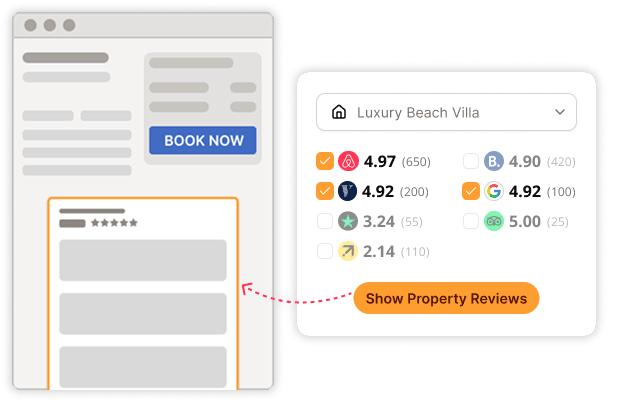
– Prioritize showcasing stellar reviews.
– Limit the display to just the aggregate review score and total reviews, giving visitors an instantaneous insight into guest satisfaction.
How frequently is the Booking.com review data in the widget refreshed?
To ensure authenticity and relevance, reviews from Booking.com in the widget undergo a refresh every 24 hours. Moreover, real-time notifications can be configured to keep you abreast every time a fresh review rolls in.
Does the Booking.com Review widget offer any customization options?
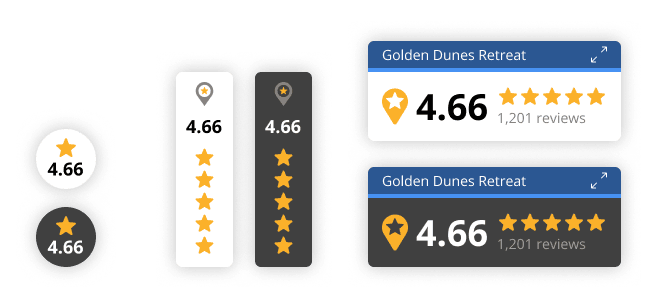
Certainly. The widget’s design is malleable, allowing for a plethora of aesthetic alterations, including diverse styles and a color palette that can mirror your brand’s identity, ensuring a cohesive user experience.
What measures are in place to safeguard the Booking.com Review widget and the data on my website?
Revyoos champions data security, enforcing stringent protocols to safeguard the Booking.com Review widget and the intrinsic data on your website.
What’s the financial aspect of integrating the Booking.com Review widget on my website?
Revyoos’ Basic package is tailored for both hosts and property managers who are keen on showcasing Booking.com reviews. Pricing nuances are influenced by the properties in management and the package selected.
Is there a cap on the number of Booking.com reviews the widget can display?
No, the sky’s the limit. Every Booking.com review you’ve garnered will be showcased, offering visitors a comprehensive and transparent insight.
Is the Booking.com Review widget optimized for mobile platforms?
Indeed, the widget is mobile-responsive, ensuring fluid access for visitors regardless of their device preference.
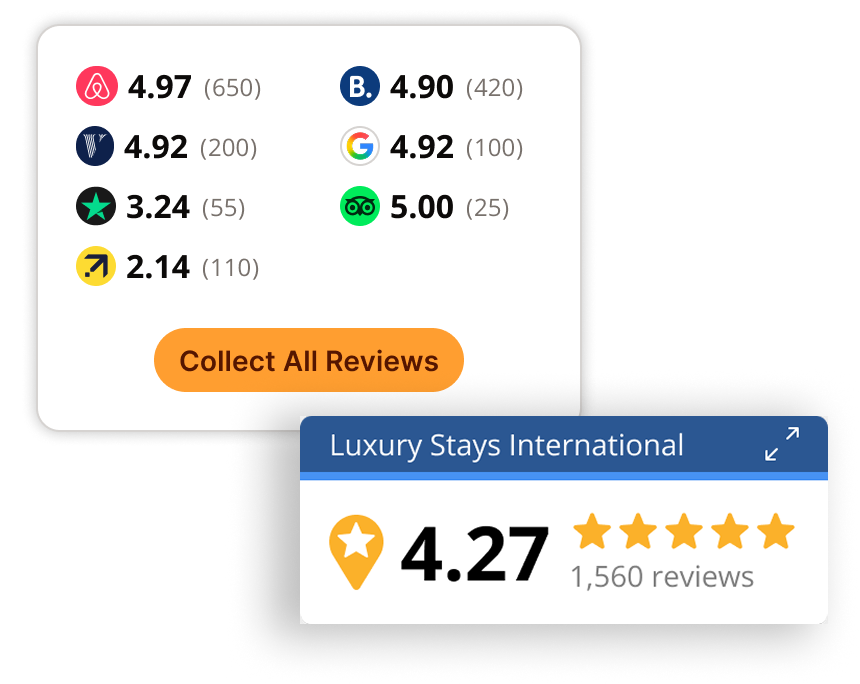
Is it feasible to integrate reviews from platforms other than Booking.com into the widget?
Absolutely. In addition to Booking.com, you can amalgamate reviews from a plethora of platforms like Airbnb, VRBO, Expedia, and others, offering a panoramic view of your guest feedback landscape.